External Hard Drive
AutomotiveExternal Hard Drive
● Key Features
- Provides additional storage space for documents, photos, videos, and other digital files
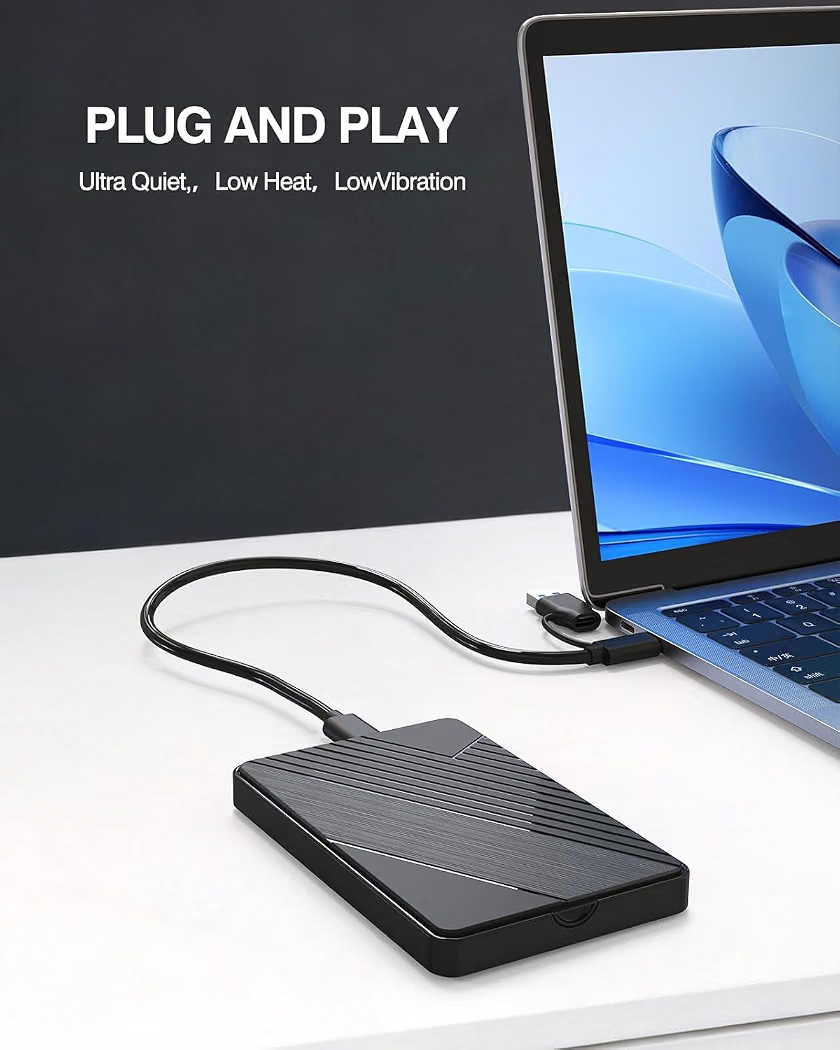
- Connects to compatible computers and devices through USB
- Available in portable HDD and faster solid-state drive (SSD) options
- Offers different storage capacities to suit personal and professional needs
- Plug-and-play operation on many compatible systems
- Portable design makes it convenient for travel and everyday use
- Suitable for backing up important files and transferring large amounts of data
- Compatible with Windows and macOS, depending on the format and setup
- Some models feature USB-C connectivity or additional security options
- Designed for personal storage, work files, and media libraries
● Pros
- Expands available storage without replacing the computer’s internal drive
- Helps keep important files backed up
- Makes file transfers between compatible devices convenient
- Portable and easy to store
- Available in a range of capacities and price points
- Useful for work, study, photography, and video storage
- SSD models offer faster performance and greater resistance to movement than traditional HDDs
● Best For
- Personal and business file storage
- Photo and video backups
- Students and office workers
- Photographers and content creators
- Large media collections
- Transferring files between computers
- Storing documents and project files
- Additional storage for compatible gaming systems
● Material
- Plastic or metal external casing, depending on the model
- Internal magnetic disk and mechanical components in HDDs
- Flash memory chips in SSDs
- USB or USB-C connection interface, depending on the design
- Internal controller and circuit board
● Sizes
- Compact portable drives
- Standard portable HDDs and SSDs
- Larger-capacity desktop external drives
- Available in different storage capacities, from hundreds of gigabytes to multiple terabytes
● Care Instructions
- Keep the drive away from water, excessive heat, and dust.
- Avoid dropping or shaking traditional HDDs, especially while operating.
- Eject the drive safely before disconnecting it.
- Use a compatible cable and power supply when required.
- Store the drive in a protective case when traveling.
- Keep backup copies of especially important files.
- Avoid disconnecting the drive during file transfers.
- Check compatibility and formatting requirements before using it with a new device.
● Why We Recommend It
An External Hard Drive is a practical solution for expanding storage, backing up important data, and transferring files between compatible devices. Portable models are convenient for everyday use, while higher-capacity options are useful for large photo, video, and document collections. Choose the capacity and drive type based on your storage needs, transfer-speed requirements, and budget.