Autel Automotive Diagnostic Scanner
AutomotiveAutel Automotive Diagnostic Scanner
● Key Features
- Designed to diagnose vehicle issues through the onboard diagnostics (OBD-II) system
- Reads and clears diagnostic trouble codes on supported vehicles
- Displays live vehicle data, depending on the scanner model
- Helps identify engine warning lights and potential system faults
- Some models provide freeze-frame data and emissions-readiness information
- Advanced models may support ABS, SRS airbag, transmission, and other system diagnostics
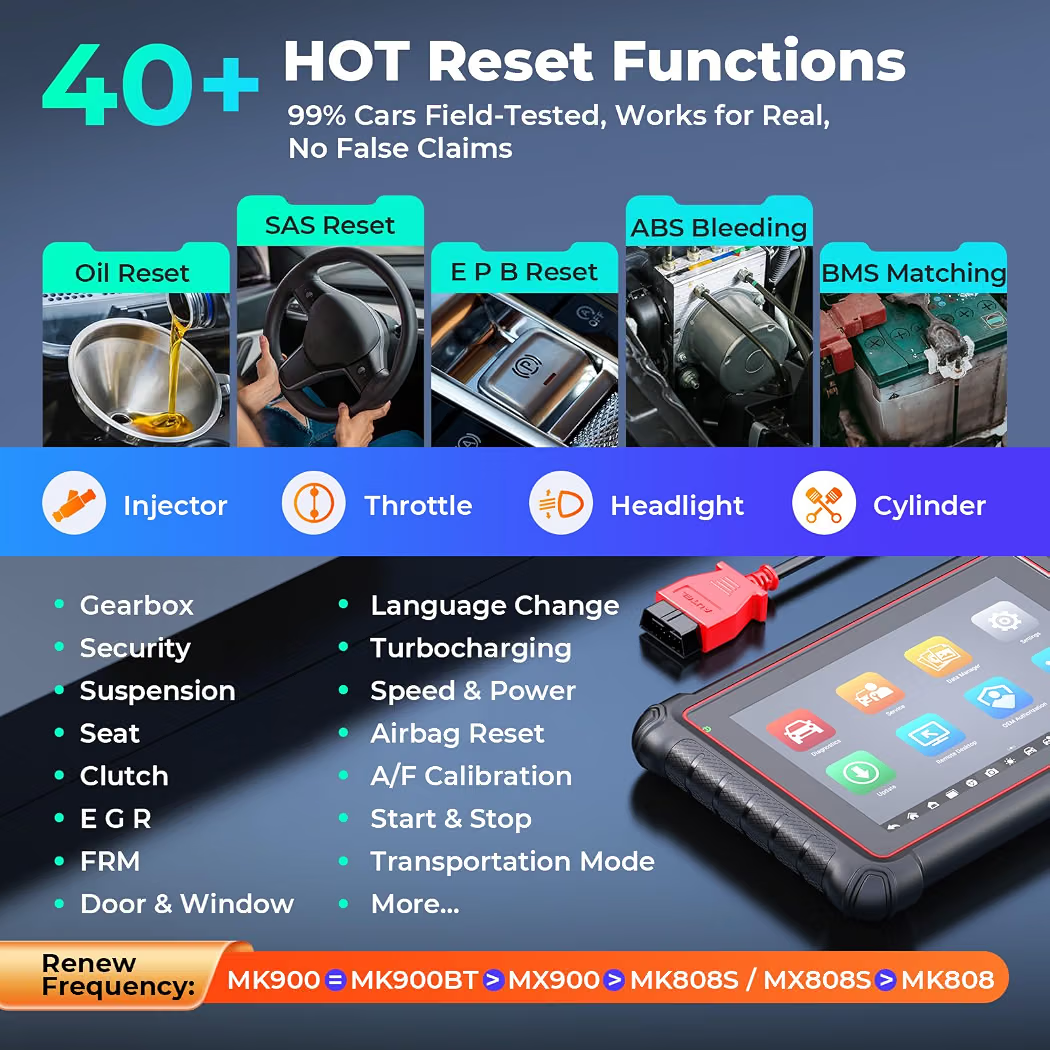
- Selected models offer service functions such as oil-reset, electronic parking brake, and battery registration
- Some scanners support bidirectional controls and active tests
- Available with wired connections, wireless connectivity, or touchscreen interfaces
- Vehicle coverage and features vary by model, software version, and manufacturer
● Pros
- Helps users investigate vehicle warning lights and fault codes
- Can reduce guesswork during basic troubleshooting
- Useful for home mechanics and professional automotive technicians
- Some models provide detailed diagnostic reports
- Advanced versions offer additional system checks and service functions
- Portable designs make it convenient to use in workshops or on the go
- Can help determine whether further mechanical inspection is needed
● Best For
- Automotive repair workshops
- Professional mechanics and technicians
- DIY car maintenance enthusiasts
- Used-car inspections
- Engine warning-light troubleshooting
- Routine vehicle diagnostics
- Garages servicing compatible cars, SUVs, and light commercial vehicles
● Material
- Durable plastic housing
- Electronic diagnostic circuit board
- OBD-II connector or compatible diagnostic cable
- Display screen on screen-equipped models
- Control buttons or touchscreen interface, depending on the design
- Charging or connection accessories on selected models
● Sizes
- Compact handheld code readers
- Mid-range diagnostic tablets
- Advanced professional diagnostic tablets with additional accessories
- Available in different screen sizes, connection types, and diagnostic capabilities
● Care Instructions
- Confirm vehicle compatibility before connecting the scanner.
- Follow the manufacturer’s instructions for safe connection and use.
- Keep the device and connectors clean and dry.
- Avoid pulling cables by the wire; disconnect using the connector.
- Keep the scanner away from excessive heat, moisture, and impact.
- Install software updates using the approved process.
- Maintain adequate battery charge on rechargeable models.
- Do not clear diagnostic codes before recording them and reviewing the underlying issue.
- Use caution with advanced service functions, as incorrect procedures may affect vehicle systems.
● Why We Recommend It
An Autel automotive diagnostic scanner is a useful tool for identifying and investigating vehicle faults. Depending on the model, it can provide basic engine-code reading or more advanced diagnostics and maintenance functions across multiple vehicle systems. Before purchasing, check the exact model’s vehicle coverage, supported functions, software-update policy, and compatibility with your car.
A diagnostic scanner can help identify possible problems, but fault codes do not always pinpoint a failed component. Proper diagnosis may still require additional testing by a qualified technician.