Wireless CarPlay
Business & Industrial SuppliesWireless CarPlay
● Key Features
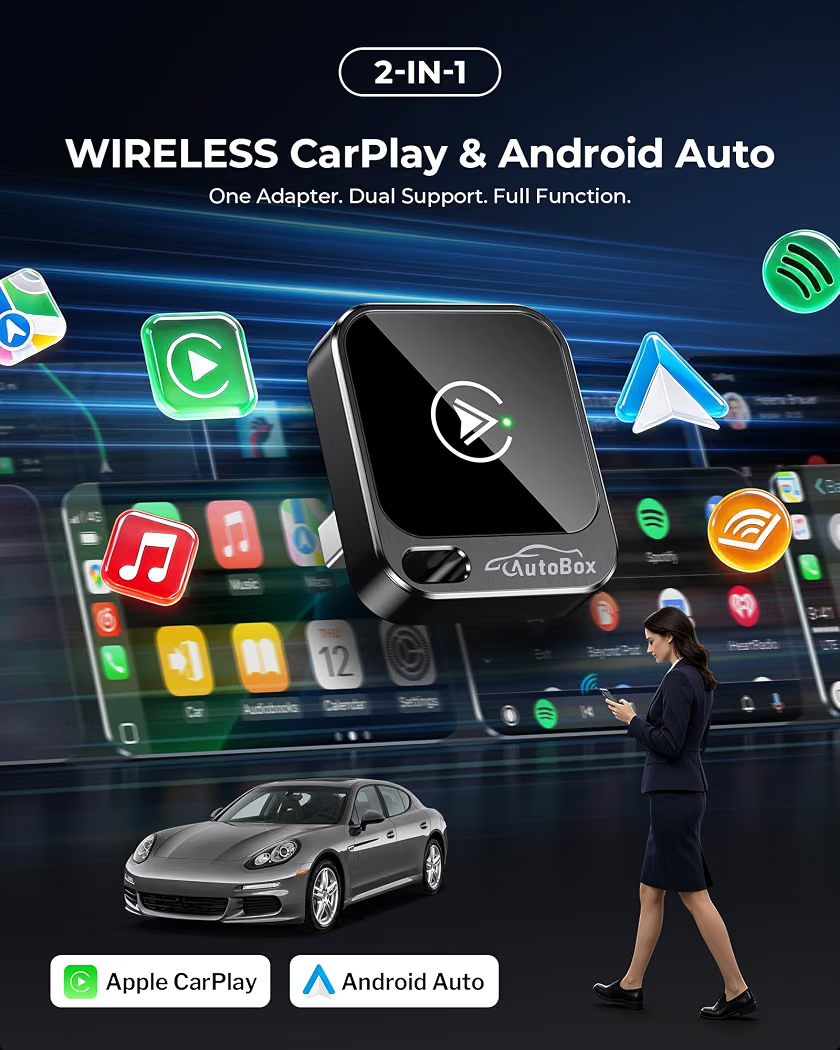
- Wireless CarPlay adapter designed to connect compatible iPhones to supported car infotainment systems without a wired connection
- Converts compatible wired CarPlay systems to wireless connectivity on supported vehicles
- Automatic connection available on selected models once the adapter is paired
- Supports convenient access to navigation, calls, messages, music, and other compatible CarPlay functions
- Compact plug-and-play design for easy installation
- USB, USB-C, or other connection options depending on the adapter
- LED indicator lights available on selected models
- Quick pairing with compatible smartphones
- Low-profile design can remain connected inside the vehicle
- Some models support firmware updates for improved compatibility
● Pros
- Reduces the need for repeated cable connections
- Convenient wireless smartphone integration
- Easy setup on compatible vehicles
- Compact and portable
- Keeps the dashboard area less cluttered
- Convenient access to supported CarPlay features
- Suitable for daily driving and road trips
● Best For
- Compatible CarPlay-equipped vehicles
- Daily commuters
- Road trips
- Navigation
- Hands-free calling
- Music and podcasts
- Drivers who prefer wireless connectivity
- Cars with factory wired CarPlay
● Material
- Durable ABS plastic housing
- Electronic connectivity components
- USB or USB-C connector depending on the model
- LED indicator components on selected designs
● Sizes
- Compact adapter designs
- Mini plug-in models
- Short cable and direct-connect configurations
- USB-A and USB-C versions available
- Check your vehicle’s existing CarPlay port and adapter compatibility before purchase
● Care Instructions
- Connect the adapter only to the recommended vehicle port.
- Keep the adapter away from excessive heat and moisture.
- Do not bend or force the connector.
- Disconnect the adapter before cleaning around the vehicle’s USB port.
- Keep the adapter firmware updated when supported.
- Follow the manufacturer’s pairing and reset instructions.
- Check compatibility with your specific vehicle and iPhone before use.
- Store the adapter safely when not in use.
● Why We Recommend It
A Wireless CarPlay adapter offers a convenient way to enjoy compatible CarPlay features without repeatedly connecting an iPhone with a cable. Its compact plug-and-play design makes it useful for navigation, hands-free communication, music, and everyday driving, provided the vehicle already supports compatible wired CarPlay.